Canva is great for making a book. It's just not built to print one — so the last step, getting a proper file out and into a real book, is where people get stuck. It's genuinely simple once you know which settings to use. Here's the whole thing.
Set your page size before you design
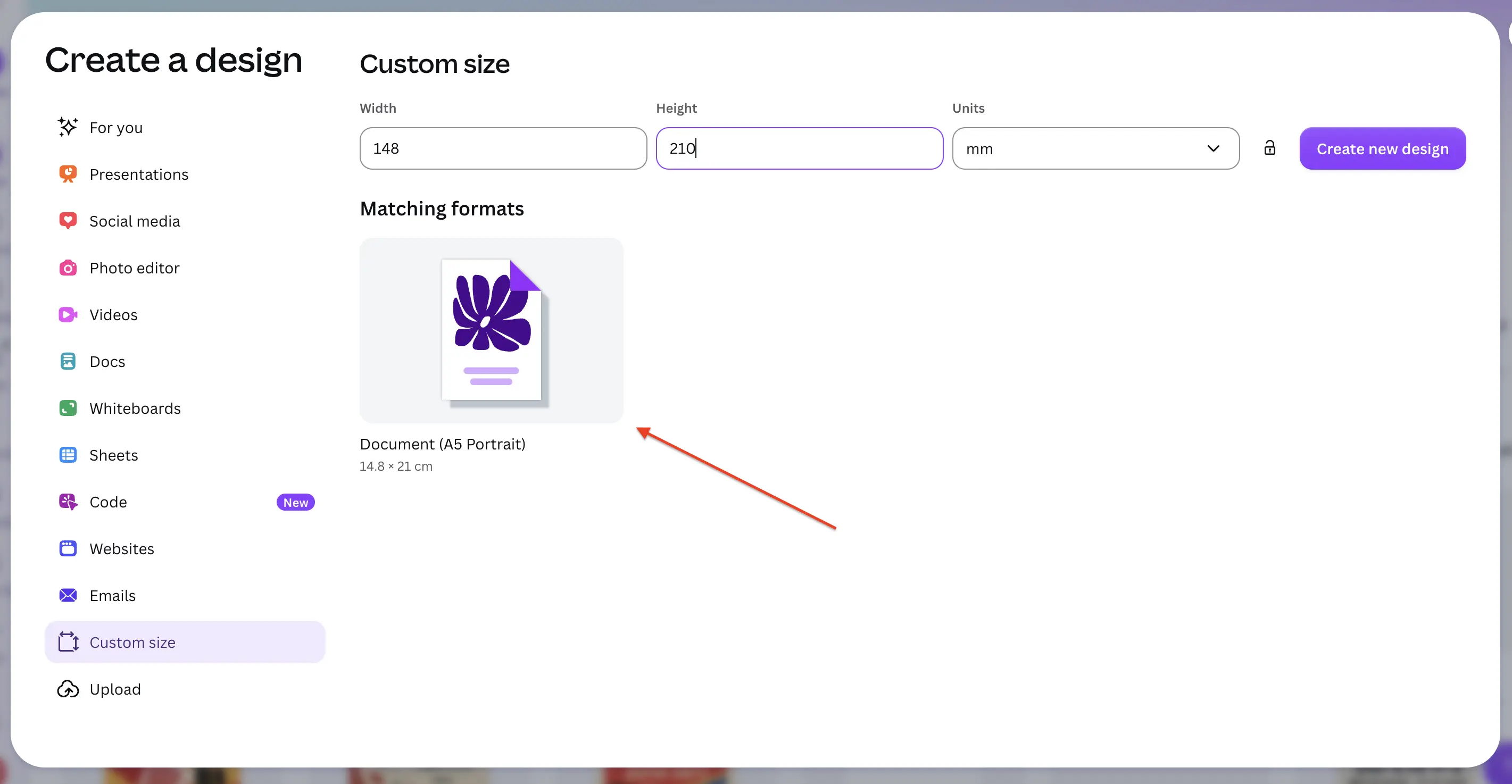
We print three sizes: A5 (148 × 210 mm), A4 (210 × 297 mm), and square (210 × 210 mm). Pick one before you start — resizing a finished design in Canva shifts everything around.
In Canva, choose Create a design → Custom size, set the unit to millimetres, and enter your size.
Build your book the way it prints
A few things to keep in mind as you design, so the finished book comes out right:
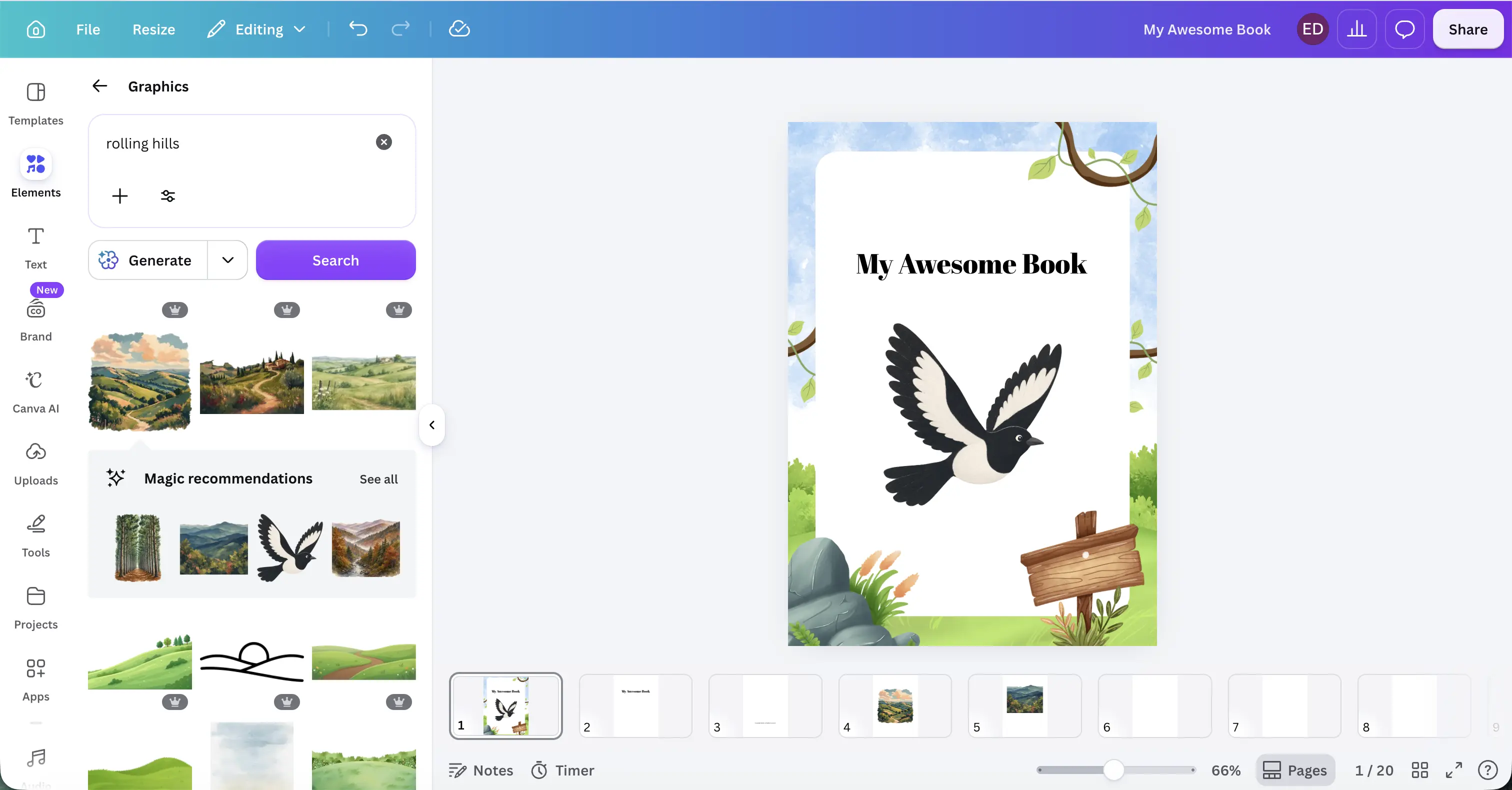
- Your first page is the front cover. Your last page is the back cover.
- Aim for at least 20 pages, and an even number — an odd count leaves you a plain white back cover.
- Keep text and anything important at least 0.5 in (13 mm) from the edges, so nothing is trimmed off.
- Use good images — at least 200 DPI — or they'll look soft in print.
Export as PDF Print
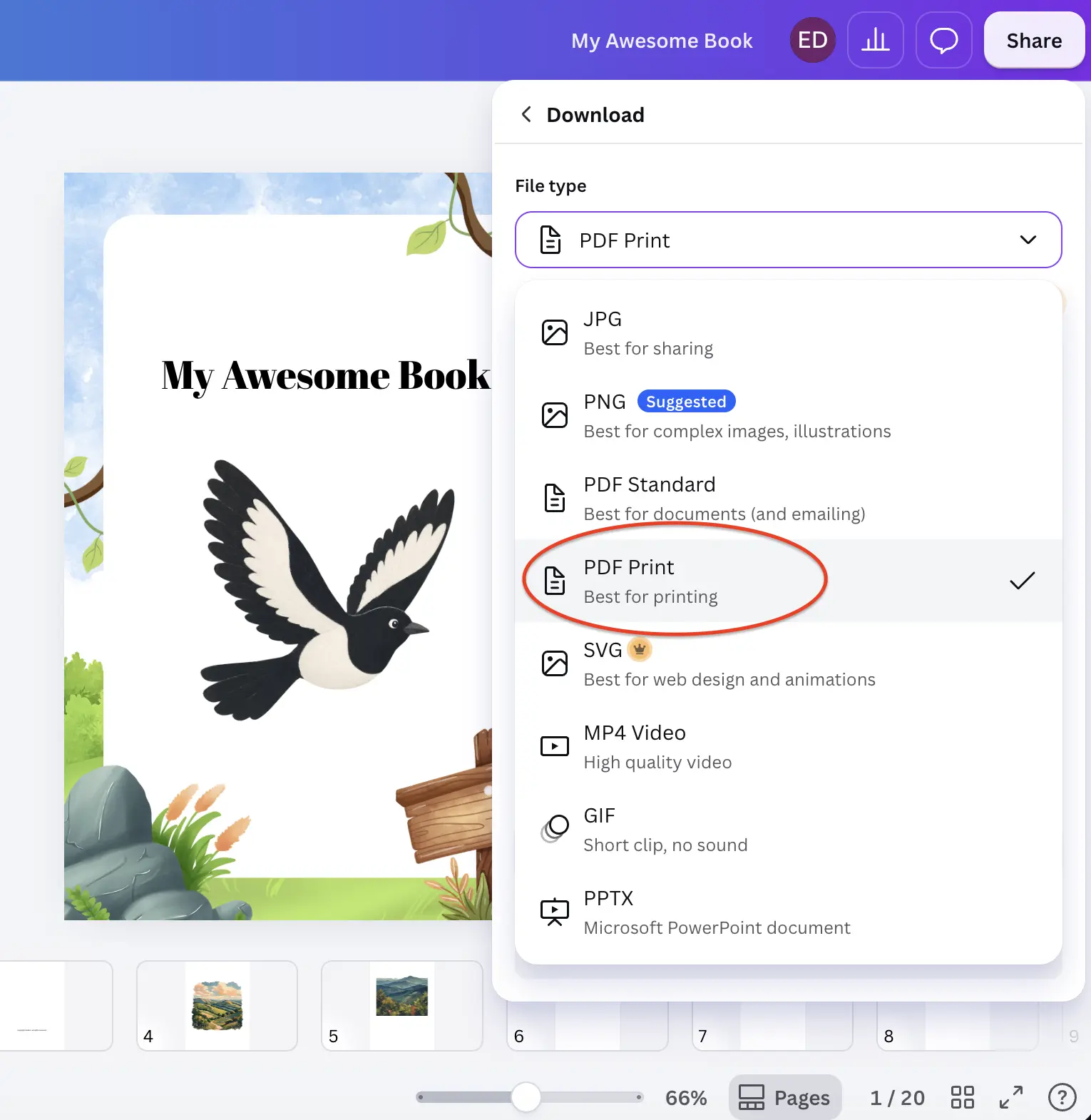
Click Share (top-right) → Download, and set File type to PDF Print. This gives you a high-resolution file with all your pages in one PDF.
The setting most people get wrong
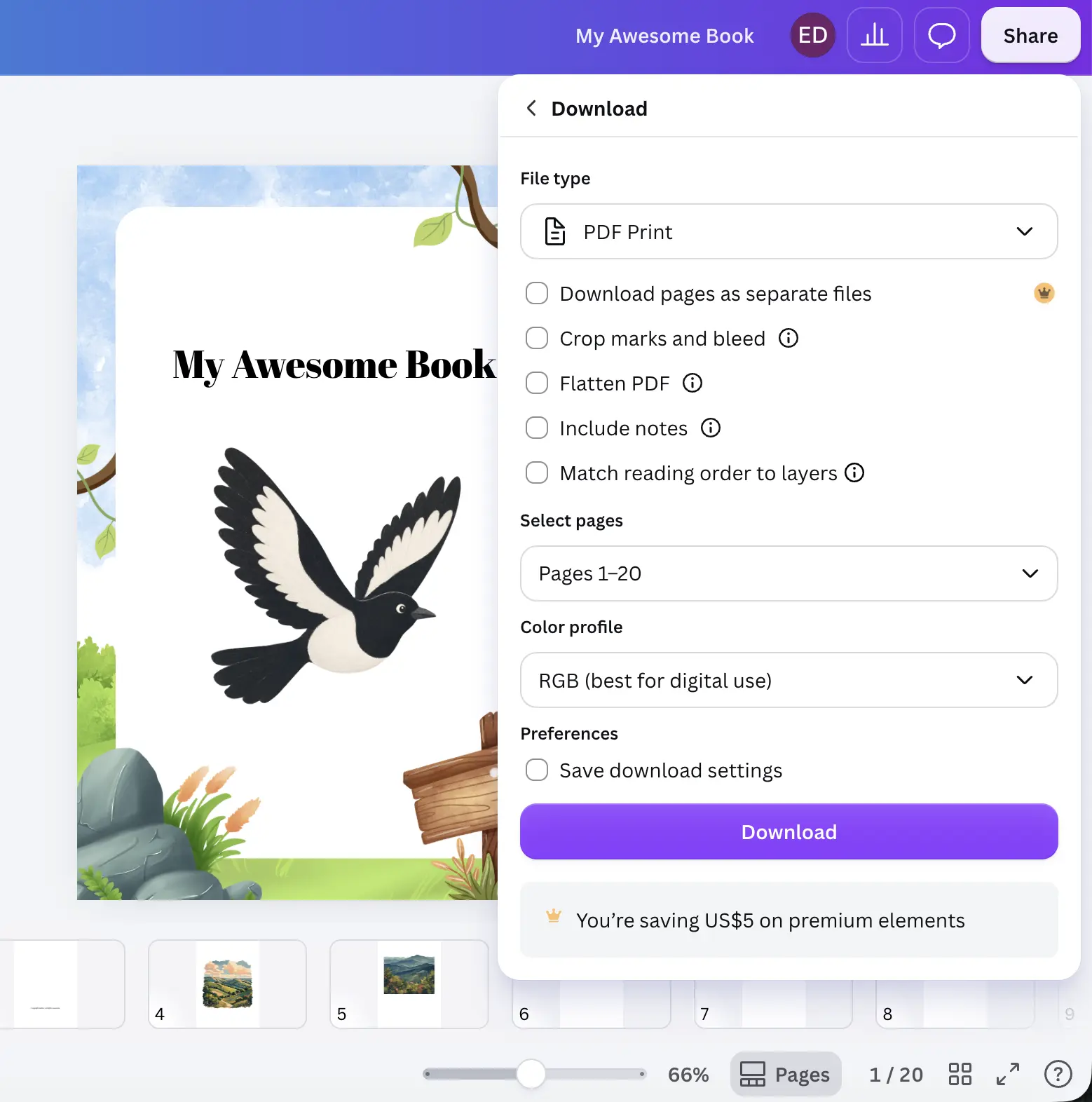
Leave "Crop marks and bleed" unchecked. Leave "Flatten PDF" unchecked. Our print partner adds bleed and crop marks automatically — if you add them yourself, your book won't trim correctly. And leaving the file unflattened keeps your text crisp.
On colour: the free Canva plan exports in RGB, which is exactly what we need — you don't need Canva Pro or CMYK.
Download, then upload it to us
Click Download. Canva saves one PDF with every page. That's your book — head to PrintAIBook, drop it in, choose softcover or hardcover at checkout, and we print and ship the real thing.
Ready to print your Canva book?
Upload your PDF →Want the quick checklist first? See the Print Requirements.